Ground-led data visibility at zero running cost
"Someone has the file open, it's 'read-only,' and work stalls…" "Before every monthly meeting, just building the pivot table eats up hours…" "Someone deleted a formula and the totals stopped adding up…"
Feeling the limits of managing everything in Excel? Without a big system build — and keeping the same feel of use — we built an "unbreakable real-time dashboard" with ¥0 monthly running cost. Here's how.
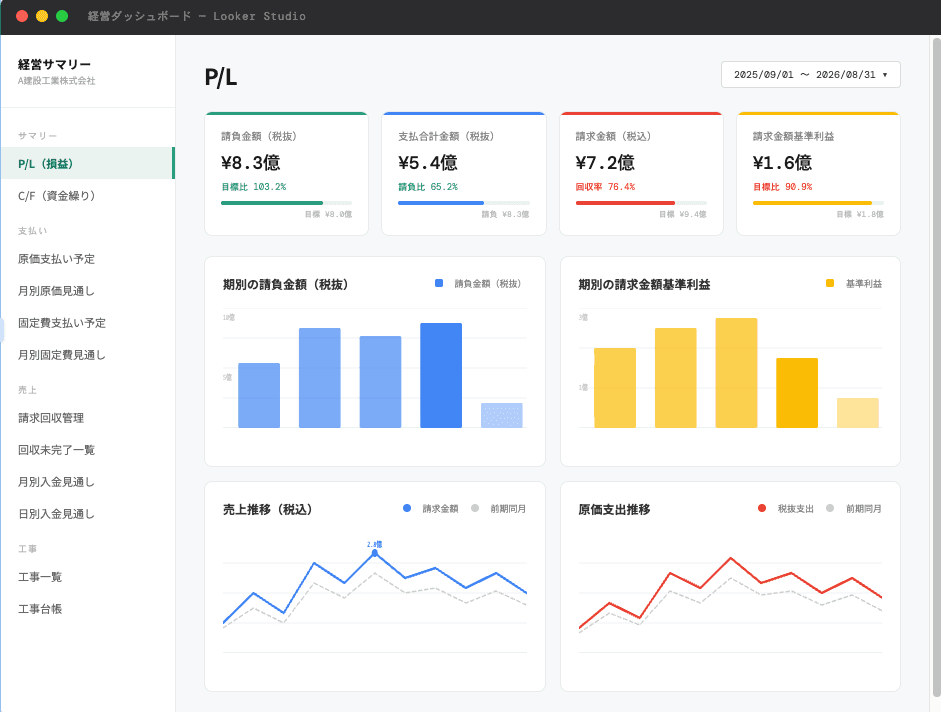
1. The real pain on the ground (Before)
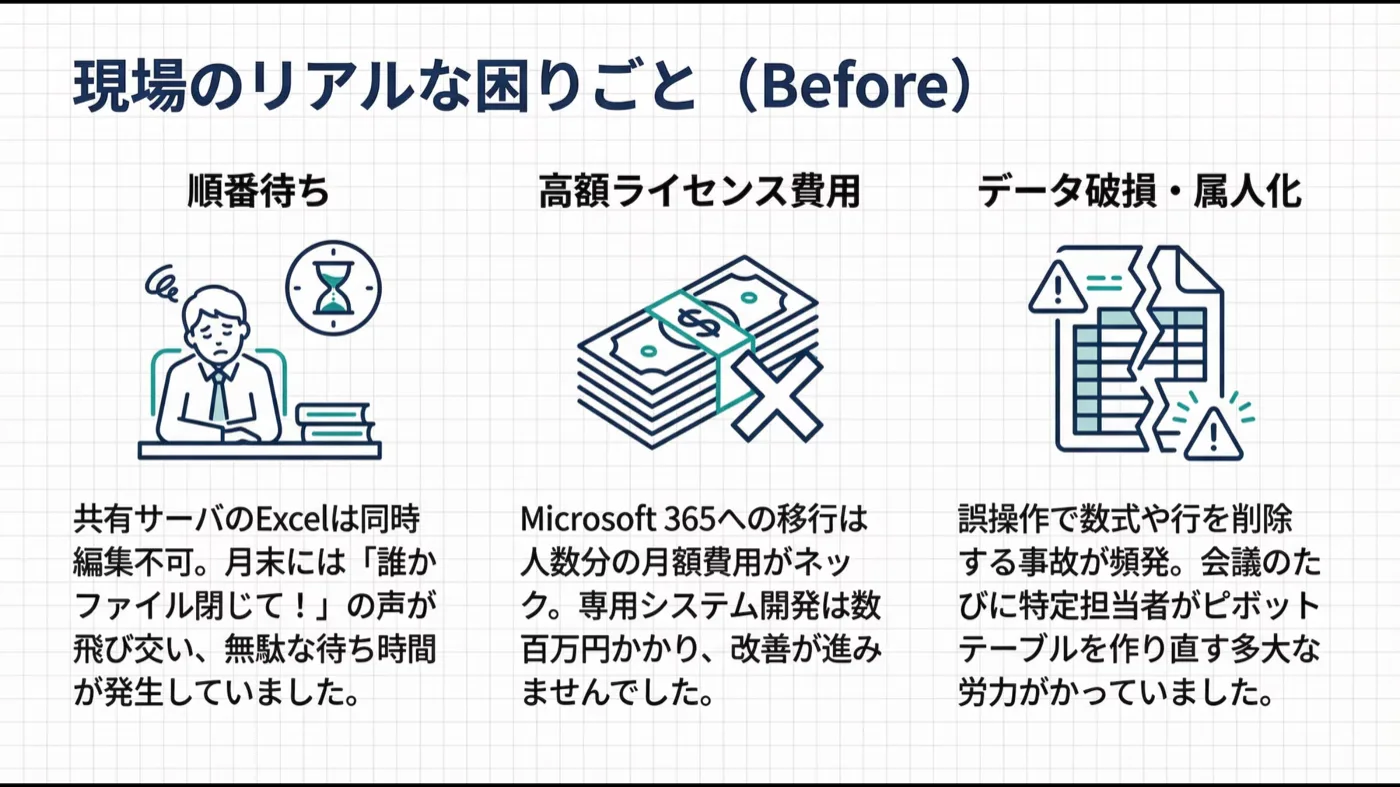
At one client, cost and receivables/payables data lived in heavy Excel files on a shared server, facing these problems:
- No simultaneous access (queueing) — Shared-server Excel can't be edited by several people at once. At month-end input rushes, "close the file!" flew around and idle waiting piled up.
- License cost & the system wall — Upgrading everyone to a cloud-capable Office was blocked by per-seat monthly costs; a custom system would run into the millions of yen, so nothing improved.
- Files break, totals become person-dependent — Formulas and rows got deleted by mistake; before each meeting a skilled person had to rebuild the pivots, costing huge effort.
2. Our proposal: solve it with "no-build development"
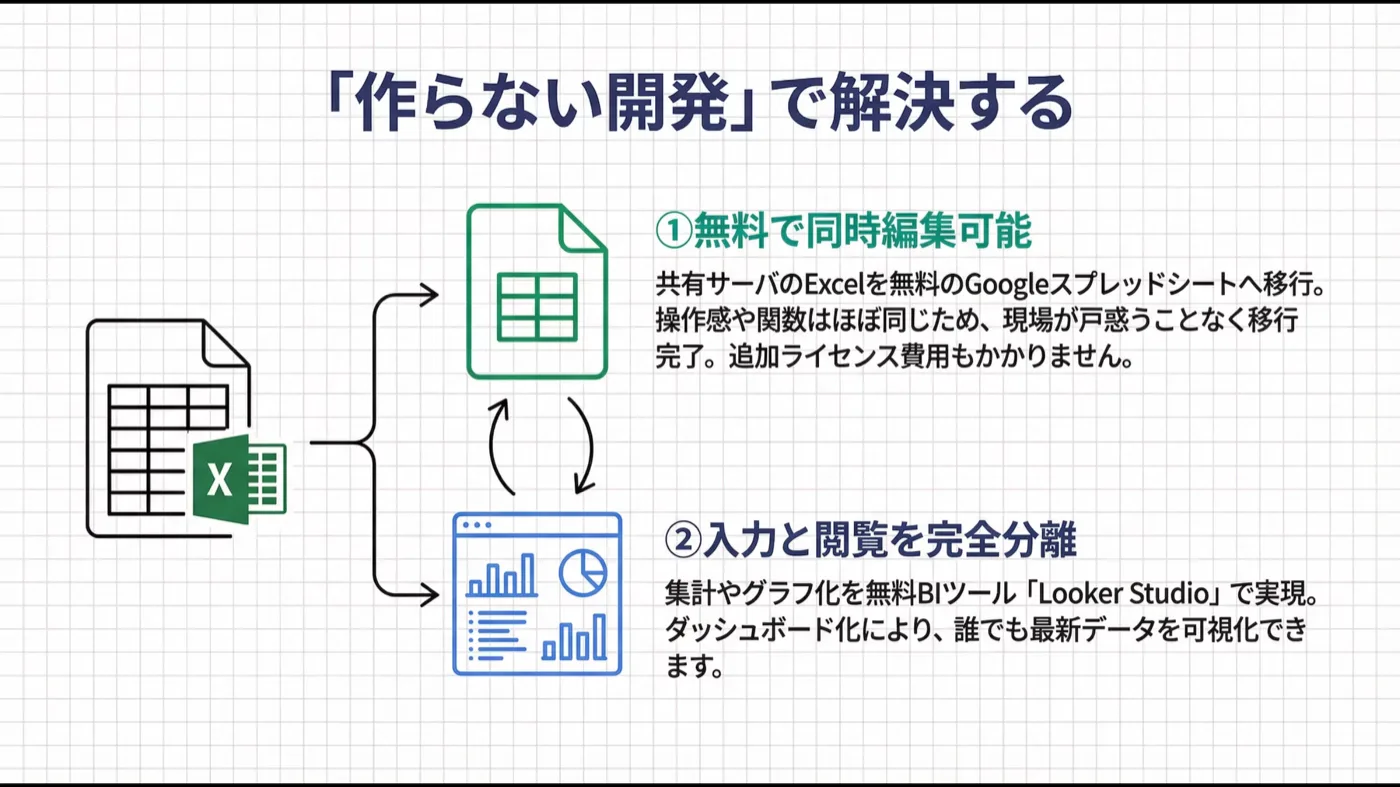
We didn't propose an expensive custom system or ongoing license fees, but "no-build development" — cleverly combining existing free tools.
① Move to Google Sheets (no license fee) — Migrated off shared-server Excel to Sheets, which supports free simultaneous editing. Since the feel and functions are nearly identical to Excel, the people on the ground moved over smoothly with zero re-learning, and no future license fees.
② Fully separate "input" and "viewing" (Looker Studio) — Instead of charting in the sheet, we connected the free BI tool "Looker Studio" and turned it into a dashboard.
3. The impact: it became this simple (After)
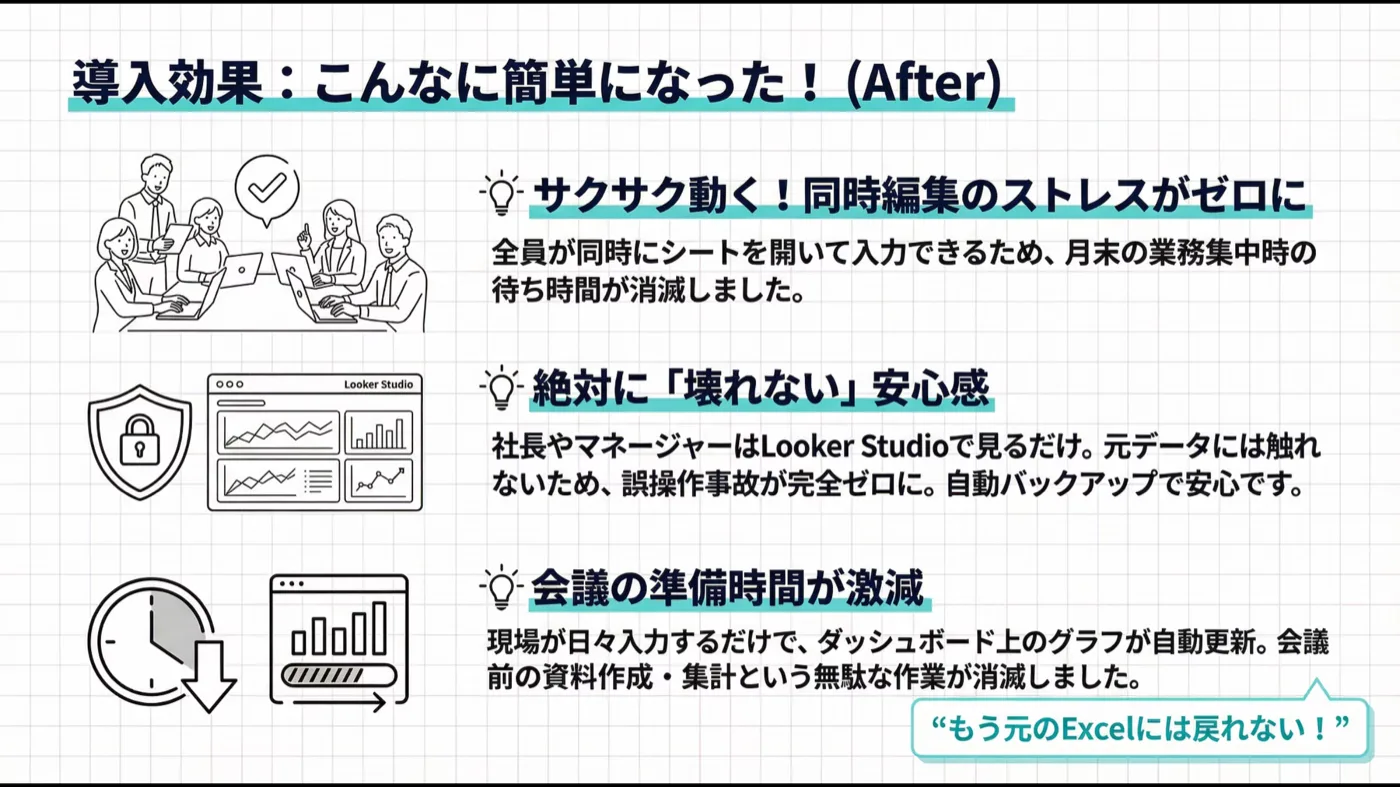
The people on the ground told us "It's dramatically easier!" and "We can't go back to the old Excel."
- Snappy — zero simultaneous-edit stress — Everyone inputs at once; month-end waiting vanished.
- Truly "unbreakable" peace of mind — Owners and managers only "view" the dashboard; they never touch the source data, so accidental breakage dropped to zero. Even if a sheet breaks, auto-backup restores it easily.
- Meeting prep slashed — Daily input keeps the dashboard's charts and tables current automatically; pre-meeting "report building" disappeared.
4. Timeline and running cost
- Monthly running cost: ¥0 (uses Google's free tier and standard features)
- Duration: approx. 2 weeks
Because the same person handles sales and development, we could judge on the spot: "You need neither costly licenses nor a million-yen system — Google's features solve this." With the waste-cutting mindset forged on the factory floor, we deliver the small mechanism your work truly needs, by the shortest path.
Facing the same pain on the ground?
"Our Excel may be at its limit too…" "Going cloud sounds hard…" — those are exactly the worries to bring to us. An engineer who gets onto your floor will work out with you how to build on the Excel you already have.